Website Personalisation: Guide to 1-to-1 Experiences at Scale

Your eCommerce store shows the same homepage to everyone. A first-time visitor sees the identical hero banner as a returning customer who's bought three times this month. Someone browsing on mobile during lunch gets the same product grid as a person shopping from a laptop at midnight.
You're leaving money on the table.
Seventy-four percent of customers get frustrated by irrelevant content. They're not after "a website." They want products that match what they need, recommendations that make sense based on what they've bought before, offers that acknowledge they're a loyal customer instead of treating them like a stranger.
Website personalisation fixes this. Different homepage for people who've never bought from you versus people who order monthly. Product recommendations based on actual browsing history instead of whatever's selling well this week. Pop-ups that acknowledge customer behaviour rather than annoying everyone equally.
The problem? Most guides assume you've got engineering resources, enterprise budgets, six months for implementation. But what if you don't. What if you're a mid-market eCommerce operation, and you need personalisation that works without building custom integrations or hiring developers.
This guide covers what website personalisation actually involves, which types deliver the best ROI for mid-market retailers, how the technical bits work (simplified), real examples with results, the common mistakes that tank implementations, and how to get started without a development team.
Website personalisation is the practice of delivering different content, product recommendations, and offers to individual visitors based on their behaviour, demographics, or purchase history, rather than showing everyone the identical experience.
Sounds simple. Rarely is. Because it isn’t, but let’s try to change that.
The same eCommerce store. Different experience for each person who visits it. The system recognises returning customers, knows what they've browsed before, understands whether they typically buy during sales or at full price, and adjusts what it shows them accordingly.
Three components make this work:
Data collection - Tracking visitor behaviour (the pages viewed, the products clicked, the items added to cart), linking that to customer identity (email address, account login, cookie ID), and storing purchase history.
Segmentation - Grouping visitors by shared characteristics. First-time visitors. Customers who haven't purchased in 90 days. People browsing a specific product category. High-value customers versus bargain hunters.
Dynamic delivery - Changing what displays on the page based on which segment someone belongs to. Different hero image. Personalised product recommendations. Targeted pop-up offers.
The technical implementation happens through your Customer Data Platform (CDP) connecting to your website. The CDP maintains unified customer profiles. The website queries the CDP: "Who is this visitor?" The CDP responds with the relevant data. The website adjusts the content accordingly. The whole thing happens in milliseconds.
Most mid-market retailers assume this requires custom development. It doesn't. Modern marketing automation platforms handle the integration without code.
Now that you understand the foundation, let's look at which types of personalisation actually deliver results without requiring enterprise-level complexity.
Five types deliver the most ROI for mid-market eCommerce without requiring massive budgets or technical complexity. Everything else can wait until you've mastered these.
The first thing visitors see when they land on your site. The generic approach shows the same banner to everyone. The personalised approach changes based on visitor segment.
New visitor browsing from London? Show them "Welcome - Free UK Delivery Over £50." Returning customer who's purchased three times? "Welcome back, Sarah - New Arrivals in Women's Footwear" (their preferred category). Someone who abandoned a cart yesterday? "Still thinking about those trainers? They're selling fast."
Implementation: Banner rotation rules based on customer segment, location data, or cart status. No custom development. Just conditional logic in your personalisation platform. Did I say this was difficult?
The "You might also like" sections. The "Customers who bought this also bought" widgets. The "Recently viewed items" blocks.
The generic version shows bestsellers or random products. The personalised version uses actual customer data. A customer bought a coffee machine last month? Recommend coffee beans, filters, cleaning products. Don't show them flipping ads for coffee machines they flipping already own (this one actually annoys me, could you tell?). author takes a deep breath…
Implementation: AI-driven recommendation engine analysing purchase history, browsing behaviour, and product affinity. Modern CDPs include this capability. You configure the rules, the AI handles the matching.
Exit-intent pop-ups. Newsletter subscription forms. Discount offers. Sale announcements.
The generic approach annoys everyone with the same pop-up. The personalised approach targets based on behaviour. First-time visitor? Offer a 10% discount code for email signup. Returning customer already subscribed? Skip the newsletter pop-up entirely. Show them early access to the sale instead.
Implementation: Behavioural triggers (exit intent, time on page, scroll depth) combined with customer segmentation.
A customer uses your site search. What appears first?
The generic approach ranks by popularity or alphabetical order. The personalised approach considers customer context. A customer who regularly buys women's size 8 shoes? Prioritise size 8 results when they search "black trainers."
Implementation: Search personalisation based on customer profile data and browsing patterns. Requires a search tool that integrates with your CDP.
A customer clicks an email campaign link. What do they see when they land on your website?
The generic approach dumps them on the homepage or product page with no context. The personalised approach acknowledges the email they just clicked. Email promoted "20% off running shoes"? The landing page highlights the running shoe category with the discount automatically applied.
Implementation: URL parameters from email campaigns triggering personalised landing page content. Your marketing automation platform handles the coordination between email and website.
These five types form the foundation of everything you want to do with personalisation going forward. But understanding the types is only half the battle, you still need to understand how all the pieces of the puzzle work together. Let's take a look at the data loop that makes personalisation possible.
Website personalisation runs on a continuous (not so vicious) cycle. Data collection feeds segmentation. Segmentation drives experience delivery. Experience performance gets measured. The measurements refine future personalisation. The loop repeats. Neat right?
Your CDP becomes the hub. Everything flows into it. Basically everything except what your customers had for breakfast. Though give it time.
Web analytics track visitor behaviour. Which pages did they view? How long did they spend on each one? What did they add to the cart? Transaction history records purchases. Customer service interactions feed in. Email engagement data syncs. All of it consolidates into a unified customer profile. One record per person containing the complete history across every touchpoint.
The CDP groups customers by shared characteristics or behaviours.
Transactional segments: First-time buyers. Repeat customers. High-value customers (top 10% by spend). Dormant customers (no purchase in 90+ days).
Behavioural segments: Frequent browsers who don't buy. Cart abandoners. Sale shoppers (only purchase discounted items). Category-specific shoppers.
Modern CDPs handle segmentation automatically. You define the criteria. The system groups customers dynamically. The segments update in real-time as behaviour changes.
A visitor lands on your website. The system checks: Who is this person? What segment do they belong to?
Two approaches determine what to show them:
Rule-based personalisation - You define the logic. "If customer segment = first-time visitor, show welcome banner. If customer segment = returning high-value, show VIP early access message." Manual control. Predictable results. Works well when you understand your segments and know what content performs for each group.
AI-based personalisation - Machine learning algorithms analyse performance data and automatically optimise. The system learns which product recommendations convert best for which customer types. It adjusts dynamically. Less manual work. Better performance over time. Requires sufficient data volume to train the algorithms properly.
Most mid-market retailers start with rule-based personalisation, then add AI capabilities as their data accumulates.
The personalised content renders on the page. Different customers see different experiences even though they're visiting the same URL.
Web layer integration handles this. A JavaScript snippet on your site communicates with the CDP. "Customer ID 12345 just loaded the homepage. What should I show them?" The CDP responds with personalised content blocks. The website assembles the personalised page. The customer sees the version relevant to them. They never know other versions exist. The whole thing happens in milliseconds.
Track the performance of personalised experiences versus the generic baseline.
Conversion rate by segment. Did personalised product recommendations increase purchases compared to generic bestseller lists? Engagement metrics. Do personalised homepage banners get higher click-through rates than generic ones? Revenue attribution. A/B test results.
Feed the learnings back into segmentation and experience selection. Rinse and repeat until your competition wonders why you’re so ‘lucky’. What's working? Do more of it. What's not? Adjust or send it to live on a farm.
Of course, all of this requires the right platform infrastructure. Let's look at how a modern CDP makes personalisation accessible for mid-market retailers.
A modern CDP like SALESmanago connects your eCommerce platform, email system, and website without custom development. Pre-built integrations for major eCommerce platforms (Shopify, WooCommerce, Magento, and others). A web tracking snippet you add once. Email integration that syncs automatically.
Customer data flows into a unified profile. Segmentation happens through a visual interface, not SQL queries. Personalisation rules you configure with drag-and-drop. AI recommendations that work out of the box. Mid-market accessible. Not bloated complexity. You know, the kind of setup where you don't need to mortgage your house to hire a team of data scientists.
But theory only gets you so far. Let's look at some real retailers who've nailed personalisation and the results they got for their effort.
PittaRosso, the iconic Italian footwear and accessories brand, needed to increase revenue and improve customer engagement across their eCommerce operation.
What they personalised:
Segmented email campaigns integrated with website experience
Dynamic web push notifications
Personalised pop-ups based on customer behaviour
Birthday campaigns with special offers
Results:
Sales attributed to marketing automation increased 141%
The platform contributed to 53% of total transactions
ROI of 2,007%
Steady 1-2% quarterly growth in customer base
Subdued, an Italian brand for independent teenagers operating 130 stores globally with a multilingual eCommerce platform, struggled to create cohesive personalised communication across channels.
What they personalised:
Advanced segmentation based on customer interests, preferences, behaviours, and regions
Omnichannel communication mixing dynamic emails, web pushes, and pop-ups
Personalised inbox experiences
Results:
Email open rates increased 50%
Automation-driven emails achieved 110% higher open rate than mass emails
Click-through rates boosted 388%
ROI reached 2,065%
50% of sales driven by automation
Meble VOX combined online browsing with brick-and-mortar sales using personalised follow-up.
What they personalised:
Dynamic 1-to-1 emails based on browsing behaviour
Automated messages featuring interior designs customers created in their online app
Follow-up campaigns driving in-store consultations
Results:
Dynamic personalised emails increased conversion 100%
22% increase in customers returning to physical stores for consultations
Successfully bridged the digital and physical shopping experience
Greenpoint implemented comprehensive personalisation across email and website.
What they personalised:
Email campaigns with AI-driven product recommendations
Website content based on customer segments
Results:
10% of total online revenues generated from personalised campaigns
6× higher email open rate compared to standard campaigns
5× higher click rate compared to standard campaigns
These results are impressive, but they're also the product of simply avoiding the common fails that derail most personalisation campaigns. What are those common fails I hear you ask, let's take a look at them shall we?
Right, here's how to cock this up spectacularly.
Launching personalisation with 100 customer profiles. The system doesn't have enough behavioural data to make intelligent decisions. The recommendations feel random. The segmentation is too broad.
What happens: Customers get irrelevant product suggestions. The "You might like this" section shows items completely unrelated to their interests. It's actually worse than no personalisation.
Fix: Start collecting data before activating personalisation. Minimum viable dataset: 500-1,000 customer profiles with at least one purchase each, or 5,000+ visitors with meaningful browsing history. Test personalised content against a control group. If the personalised version doesn't outperform the generic one, you need more data.
Creating 47 micro-segments. "Female customers aged 25-30 in London who browse on mobile on Tuesdays and prefer sale items in the footwear category between £40-£60, A.K.A Sandra. Hi Sandra!
What happens: The segments become too small to test effectively. You can't gather statistically significant data. You're spending more time naming segments than actually using them. Complexity kills execution.
Fix: Start with 5-10 broad segments. First-time visitors. Repeat customers. High-value customers. Dormant customers. Category-specific shoppers. Get these working properly before subdividing further. Each segment needs a minimum of 1,000 people for effective testing.
Your desktop personalisation works beautifully. The mobile site shows the generic version because you didn't configure mobile separately. Half your traffic sees no personalisation. Why would you do that?
What happens: Mobile visitors (often the majority of traffic) get a worse experience than desktop users. Conversion rates stay low on mobile. You're only personalising for the minority of your audience.
Fix: Mobile-first personalisation strategy. Test every personalised element on mobile before desktop. Ensure pop-ups don't block the entire mobile screen. Product recommendations display properly on small screens. Homepage personalisations load quickly on slower mobile connections.
Launch personalisation. Assume it's working because it feels more sophisticated. Never measure whether it actually improves conversion compared to the generic baseline. Because feelings are totally a reliable business metric… I read it on LinkedIn.
What happens: You're running a more complex system with no proof it delivers better results. It might actually be hurting performance and you'd never know. You can't justify the budget for personalisation tools.
Fix: A/B test everything. Run the personalised experience for 50% of traffic, generic for the other 50%. Measure the conversion rate difference. Revenue per visitor. Engagement metrics. Only roll out personalisation fully once you've proven it outperforms the baseline.
A customer purchases a coffee machine on Monday. Tuesday's personalised email recommends coffee machines. Wednesday's homepage features coffee machine deals. We get it, everyone loves coffee machines, but how many people do you know with two?
What happens: The personalisation feels broken. The customer questions whether the system knows anything about them. They ignore future recommendations assuming they'll be equally irrelevant.
Fix: Purchase suppression rules. Once an item is purchased, exclude it from recommendations for a reasonable period. Coffee machine? Suppress for two years. Running shoes? Suppress for six months. Consumables? Different logic entirely. Recommend complementary products instead.
Now that you know what to do to avoid looking silly, let's walk through the practical steps to get personalisation running without a development team.
Mid-market eCommerce implementation without a development team. These steps get you from zero to office hero running personalised experiences.
SALESmanago plugs-in to major eCommerce platforms through pre-built connectors. No custom API work required. Thank goodness for that!
What gets connected:
Your eCommerce platform (Shopify, WooCommerce, Magento, and others)
Customer database (existing CRM if you have one)
Email marketing system (or use SalesManago's built-in email)
Website tracking (JavaScript snippet added to all pages)
Data that starts flowing:
Customer profiles with purchase history
Product catalogue
Website behaviour (pages viewed, items clicked, cart activity)
Email engagement (opens, clicks, conversions)
Most mid-market implementations take 2-3 weeks for complete integration. Not six months. You're using pre-built connectors, not building custom middleware.
Start with the five essential segments every eCommerce retailer needs:
New visitors - Never purchased, first visit to site. Goal: capture email, introduce brand, offer first-purchase discount.
Engaged browsers - Multiple visits, no purchase yet. Goal: overcome purchase objections, show social proof, create urgency.
First-time buyers - Made one purchase. Goal: encourage second purchase (the hardest conversion), deliver excellent post-purchase experience.
Repeat customers - 2+ purchases. Goal: increase purchase frequency, grow average order value, build loyalty.
Dormant customers - Purchased before, inactive 90+ days. Goal: reactivate with win-back campaigns, special offers.
Configure these in SALESmanago's Segmentation Centre. The system automatically assigns customers to the appropriate segment based on behaviour.
For each segment, define what they should see.
New visitors: Homepage hero with welcome message and brand value proposition. Pop-up offering 10% first purchase discount for email capture. Product recommendations showing bestsellers (no purchase history yet).
Engaged browsers: Homepage hero featuring categories matching their browsing history. Exit-intent pop-up when they're about to leave (free shipping, limited-time discount). Product recommendations from categories they've viewed.
First-time buyers: "Welcome back" message on homepage, recommend products complementary to their first purchase. Personalised landing pages from post-purchase emails. Product recommendations based on first purchase category.
Repeat customers: Early access to sales, VIP messaging on homepage. Loyalty programme invitation pop-ups (if applicable). AI-driven product recommendations based on full purchase history.
Dormant customers: "We've missed you" message with incentive on homepage. Win-back offer pop-up (stronger discount than regular offers). Product recommendations from categories they purchased previously.
The rules configure through SALESmanago's visual rule builder. No coding required.
Don't launch personalisation to 100% of traffic immediately. Test first.
Test structure:
Variant A (Control): Generic experience, no personalisation
Variant B (Test): Personalised experience using the rules you defined
Traffic split: 50/50 initially
Duration: Minimum two weeks for statistical significance
Sample size: Minimum 1,000 visitors per variant
Metrics to track:
Conversion rate (purchases / visitors)
Average order value
Revenue per visitor
Engagement rate (clicks on personalised elements)
Bounce rate
If Variant B (personalised) outperforms Variant A (generic) by 10%+ on key metrics, roll out to 100% of traffic. If the difference is less than 10% or negative, refine your personalisation rules and test again.
Personalisation isn't "set and forget." It requires continuous optimisation.
Weekly reviews: Which segments are converting best? Which personalised elements are getting the highest engagement? Any segments underperforming? Spoiler: there always are. That’s why, all together now, ‘we’re reviewing them.
Monthly optimisation: Refine underperforming segments. Test new personalisation rules. Add more sophisticated segmentation as data accumulates. Expand to additional personalisation types.
Quarterly analysis: Overall ROI from the personalisation programme. Revenue attributed to personalised experiences. Comparison to baseline (what you achieved before personalisation).
Your competitors are already personalising. Generic websites lose to personalised ones. Every day you wait is revenue you're handing them. The question isn't whether to implement personalisation. The question is how quickly you can get it running.
Website personalisation is the practice of delivering different content, product recommendations, and offers to individual visitors based on their browsing behaviour, purchase history, and demographics, rather than showing everyone the same generic experience.
Personalised CTAs convert 202% better than generic ones, and retailers typically see 10-30% increases in conversion rates when implementing product recommendations and personalised homepage content based on customer segments.
No. Modern Customer Data Platforms like SALESmanago offer pre-built integrations with major eCommerce platforms (Shopify, WooCommerce, Magento) and visual rule builders that let you configure personalisation without coding.
Mid-market eCommerce implementations typically take 2-3 weeks from integration to running personalised experiences, with most retailers seeing measurable results within 60-90 days of launch.
Showing products customers already bought. If someone purchased a coffee machine on Monday, they shouldn't see coffee machine recommendations on Tuesday. Use purchase suppression rules and recommend complementary products instead.


Google "what percentage of loyalty programs fail" and you'll get a wider range than the Andes (world’s longest mountain range for those of you who failed Geography). Depending where you read anywhere from 20% to 97%. That tells you two things. First, nobody really agrees on what "fail" even means. Second, quite a lot of loyalty programs aren&...
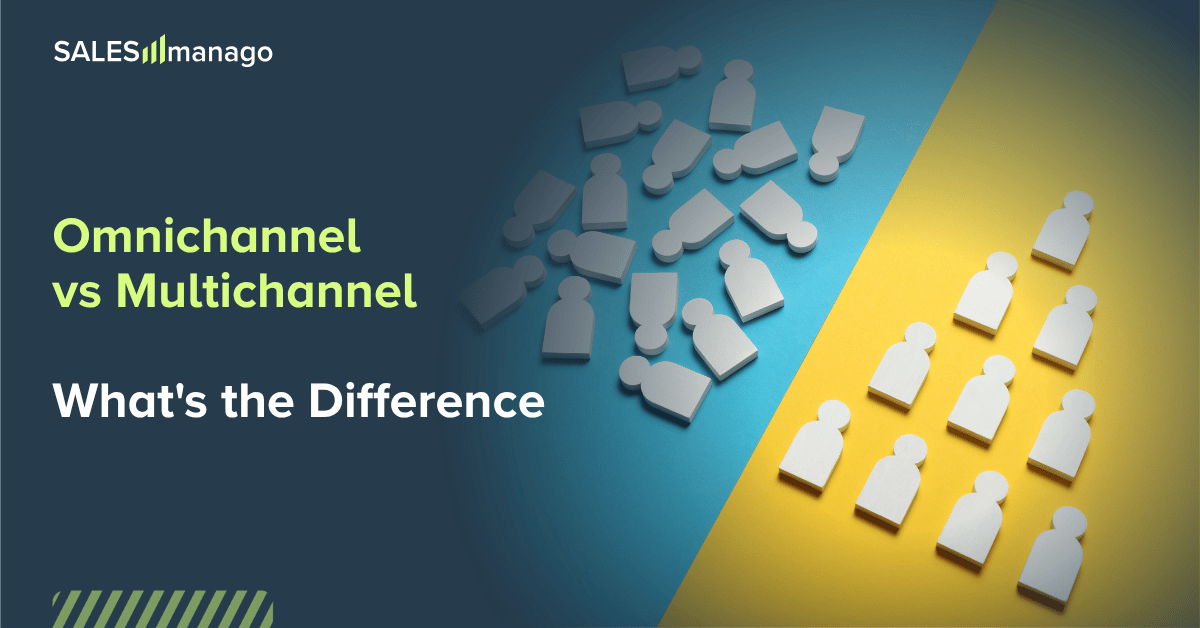
You’ve seen the slide before. You know the one with your brand in the middle, channels radiating outward like a proud little sun. Email, SMS, web push, social, paid ads, on-site personalisation, maybe a loyalty program if you're feeling ambitious. It says "
This month isn’t about being fooled by the next massive industry panic or buying into stressful, hyper-complex tech trends. Low-friction joy? Welcome to the era of Treatonomics.