RFM Segmentation For eCommerce: What The Other Guides Don't Tell You


You've read the RFM segmentation guides. You get it. Recency, Frequency, Monetary Value. You understand that your best customers bought recently, buy often, and spend big. You've even tried building segments.
So why is your email performance still flat? Why is retention stuck at 28%? Why are you burning budget on customers who'll never buy again while your VIPs get the same generic campaigns as everyone else?
Here's what happened. You followed the tutorial. Built segments in Excel. Exported lists. Launched campaigns. And somewhere between "RFM is powerful" and "here are your results," something broke.
The problem isn't RFM. The problem is nobody tells you about the gap between theory and execution. The spreadsheet hell. The stale data. The 47 micro-segments you created but can't actually activate. The fact that RFM scores from three weeks ago are about as useful as yesterday's weather forecast.
Let's talk about what actually works.

RFM segments customers based on three behavioral metrics pulled straight from your transaction data.
Recency: When did they last buy?
Someone who bought yesterday is hotter than someone who ghosted your emails six months ago. Simple.
Frequency: How often do they buy?
A customer who's placed 8 orders is more valuable than someone who bought once and disappeared.
Monetary: How much do they spend?
A customer dropping €500 per order matters more than someone buying €15 items.
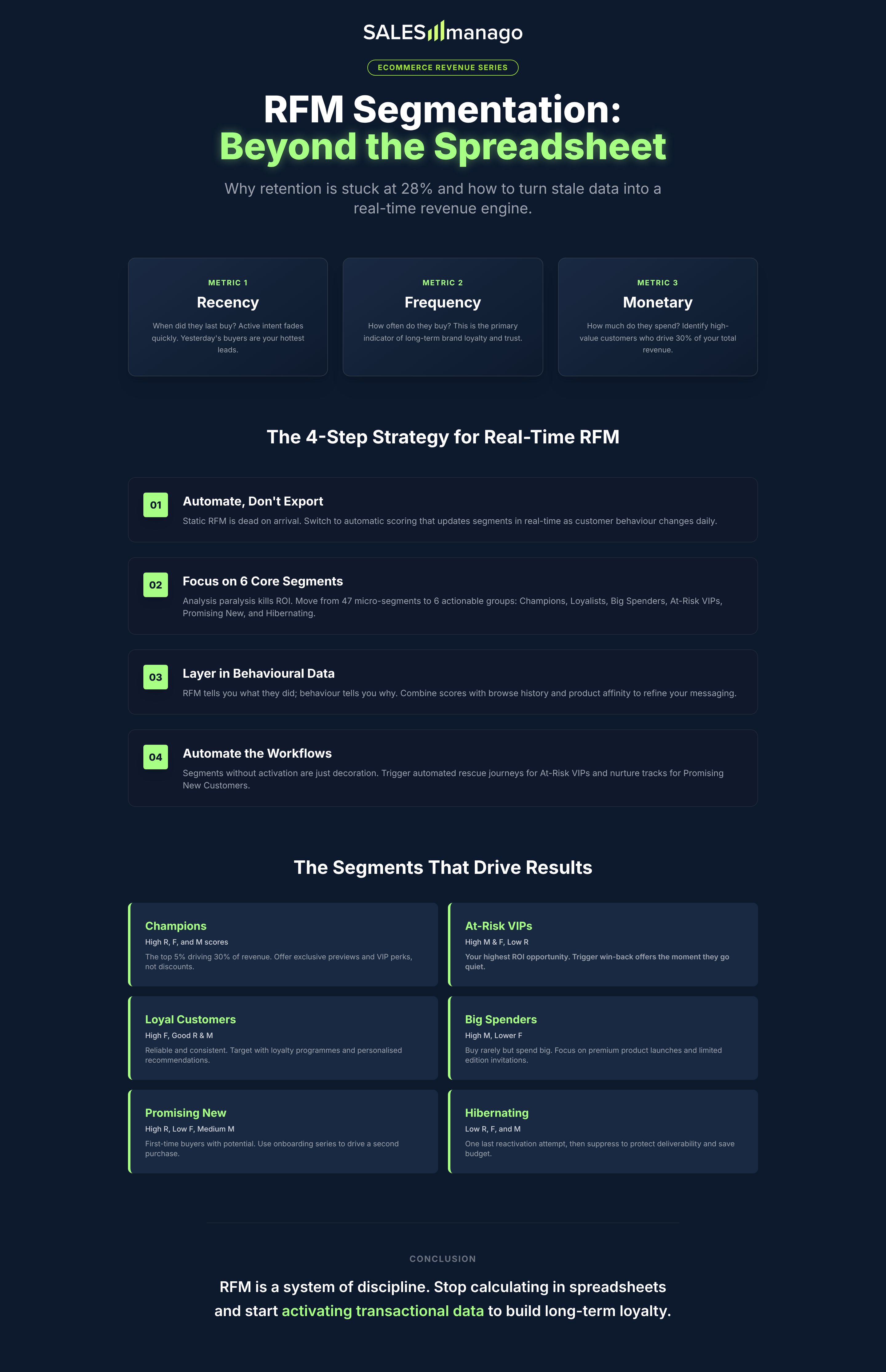
Score each metric (typically 1-5, where 5 is best), combine the scores, and you've got customer segments. Your 555s? Those are your Champions. Recent, frequent, high-spending. Your 111s? Dead weight you're wasting money trying to resurrect.
The average eCommerce brand loses 65% of customers after one purchase. Meanwhile, the top 5% of your customer base probably drives 30% or more of your revenue. And acquiring new customers costs somewhere between 5 and 10 times what it takes to keep existing ones buying.
RFM helps you stop treating these wildly different groups the same. That's the theory, anyway.
Direct mail catalogues in the 1990s. Companies like Land's End and JC Penney needed to figure out who was worth the postage stamp. If you're spending 50 cents to mail a catalogue, you better know who's likely to buy.
That constraint forced clarity. Modern eCommerce lost that discipline. We can email for free, so we email everyone. We can retarget for pennies, so we retarget indiscriminately. RFM brings back the discipline of knowing who's worth your attention.
The scoring gets more sophisticated if you want it to. Quartiles, quintiles, weighted formulas that account for your specific business model. But the core idea stays simple: recency matters, frequency matters, money matters. Combine them, you get segments.
Most RFM guides stop at "here are your segments, good luck!" Here's what they don't mention.
You start in Excel because every tutorial shows you how. Extract customer data, calculate scores, create pivot tables, export CSVs.
Six hours later, you've got your segments. You upload them to your ESP. You launch campaigns.
Two weeks pass. Your "recent buyers" segment? Half of them bought again. They're not in the right segment anymore. Your "at-risk" customers? Some came back, some are now fully churned. Your scores are stale.
So you do it again. Extract, score, export, upload. Repeat monthly. Or weekly if you're ambitious.
Three months in, you stop. Because maintaining RFM segments in Excel is a full-time job, and you've got actual marketing stuff to do.
Here's the harsh truth… Static RFM is dead on arrival. Customer behavior changes daily. Your segments need to update automatically, or you're marketing to ghosts, booooo.
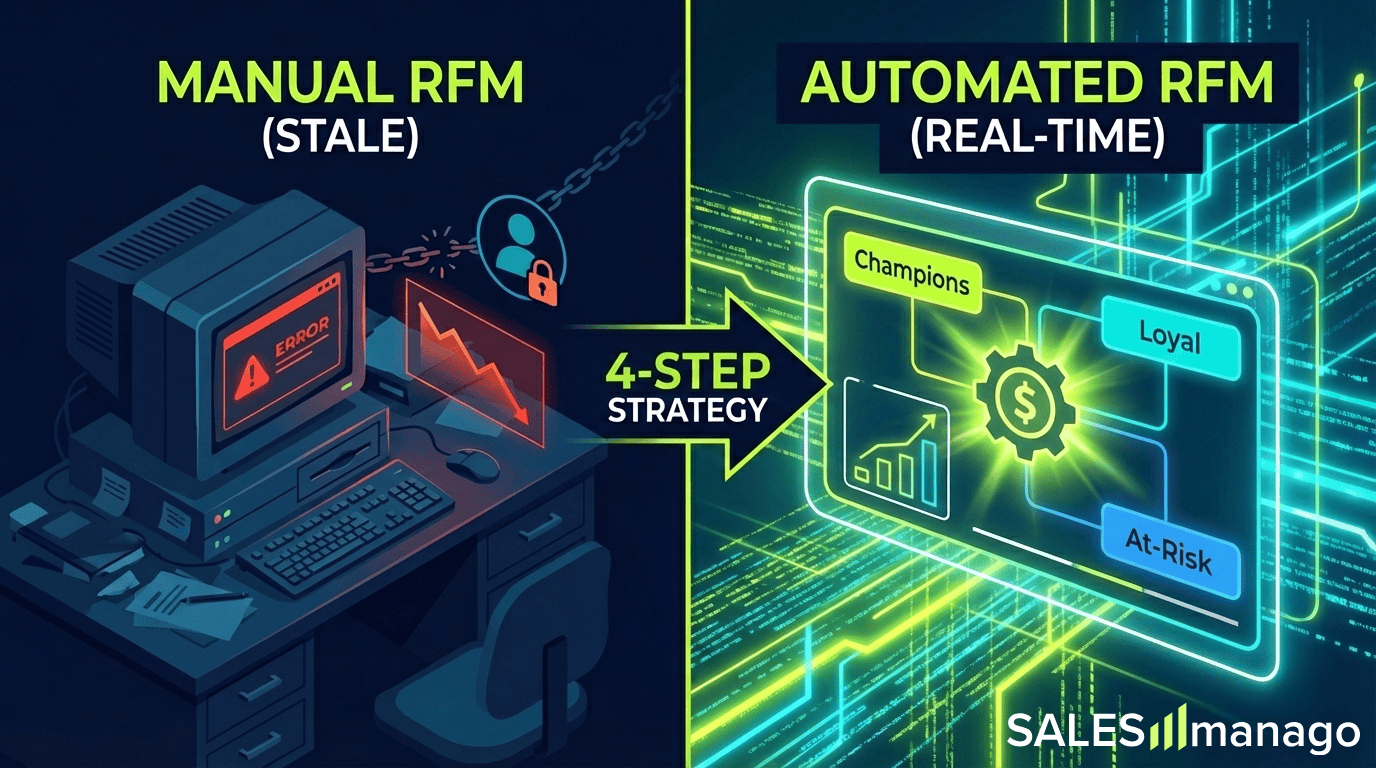
The guides show you 10-12 standard segments. Champions, Loyalists, Potential Loyalists, At Risk, Can't Lose Them, Hibernating, Lost, Promising, New Customers, Need Attention.
You think "more precision is better" and create variations. At-Risk (High Value), At-Risk (Mid Value), At-Risk (Low Value). Recent High Spenders. Occasional Big Spenders. One-Time VIPs.
Congrats, you've got 47 segments. Now what?
You can't build 47 different email campaigns. You don't have time. You don't have creative resources. So you build 3 or 4 campaigns and ignore the rest. Which means 43 segments are just spreadsheet noise.
Most brands get 90% of results from 5 or 6 segments. Start there. Add complexity only when you've got automation to support it.
Everyone obsesses over two groups. VIPs (because revenue) and at-risk customers (because panic).
Your mid-value customers get ignored. The ones who buy 2-3 times per year, spend €100-200 per order, never complain. They're not sexy. They're not urgent.
And then they quietly churn because nobody nurtured them.
Here's the thing: mid-value customers are your most scalable growth opportunity. They're already buying. They're not price-sensitive. They just need a reason to buy more often.
But your marketing is focused on rescuing zombies and pampering VIPs while the middle 40% of your revenue drifts away.
RFM without a strategy for the middle is leaving money on the table.
Your RFM scores are only as good as your data. And most eCommerce data is a mess.
Guest checkouts with no customer ID? Can't track frequency. Returns not properly reflected? Monetary scores are inflated. B2B orders mixed with B2C? Totally different behavior patterns. Multiple accounts for the same customer? Frequency split across profiles.
You build segments on garbage data, launch campaigns, wonder why results are mediocre.
Clean, unified customer data is the prerequisite. If your platform can't stitch customer identities together, your RFM scores are fiction.
Alright, enough problems. Here's what you should do.
If you're manually calculating RFM scores, you've already lost. Customer behavior changes too fast.
What you need:
Automatic scoring that calculates recency, frequency, and monetary in real-time from your transaction data
Dynamic segments where customers move between groups automatically as their behavior changes
Pre-built workflows with automated campaigns triggered when customers enter or exit segments
Imagine you're running a mid-market fashion brand with 80k active customers. You try Excel-based RFM for 4 months. You give up. You switch to automated RFM through your platform. Segments update daily. Campaigns trigger automatically. You go from spending 15 hours per week on segment maintenance to zero.
Your "At-Risk VIP" workflow catches high-value customers the moment they hit 45 days without purchase. Sends a personalised win-back offer. Recovers 18% of them before they fully churn.
That doesn't happen with monthly Excel exports.
Here are the segments that actually drive results.
Champions (High R, F, M)
Your VIPs. Recent buyers, frequent purchases, high spend. Typically 5-8% of your base, 25-35% of revenue.
Action: Exclusive previews, loyalty perks, early access, VIP pricing. Don't discount. They'll pay full price.
Loyal Customers (High F, Good R & M)
Consistent buyers. Not quite VIP spend levels but reliable.
Action: Loyalty program, referral incentives, product recommendations based on purchase history.
Big Spenders (High M, Lower F)
They buy rarely but drop serious cash when they do.
Action: Premium product launches, limited editions, high-touch service. Increase frequency without chasing discounts.
At-Risk VIPs (High M & F, Low R)
Your former Champions who've gone quiet. High lifetime value but recency dropped.
Action: Win-back campaigns, "we miss you" offers with real value, personalised product recommendations. This is your highest-ROI segment.
Promising New Customers (High R, Low F, Medium M)
Just made their first purchase. Decent order value. Potential to become Loyals.
Action: Onboarding series, second-purchase incentive, educational content about your products.
Hibernating (Low R, F, M)
Haven't bought in 6+ months, low historical value. Probably gone.
Action: One last reactivation attempt, then suppress to save money. Stop emailing people who don't want to hear from you.
That's it. Six segments. Clear actions for each. No analysis paralysis.
RFM tells you what customers did. Behavioral data tells you why and what's next.
Someone with high recency but dropping frequency might be browsing competitors, searching for products you're out of stock on, or only buying during sales. RFM alone doesn't show you that.
But when you layer in browse behavior, cart abandonment, product affinity, channel preference? Now you've got a complete picture.
Think about your "Loyal Customers" segment. You might notice it's splitting into two groups. One group browses new arrivals, engages with emails, buys at full price. The other group only opens discount emails, abandons carts, waits for sales.
Same RFM scores. Totally different behavior.
You split the segment, create different nurture tracks. The full-price group gets early access and new product education. The discount group gets smarter promotions tied to cart abandonment.
You could see revenue per customer in the full-price group increase 30-40% over six months. Because you're not training full-price buyers to wait for discounts.
That's RFM plus behavioral data working together.
Segments without activation are just spreadsheet decoration. You need automated workflows that trigger based on segment movement.
Example: "At-Risk VIP Rescue"
Trigger: Customer drops from "Champion" to "At-Risk VIP" (30+ days no purchase)
Day 1: "We noticed you haven't shopped lately" email with personalised product recommendations
Day 7: Exclusive 15% discount (VIPs only)
Day 14: Last chance reminder
A typical reactivation rate might hit 18-22% with this workflow. Without it? You're looking at 8-12% coming back on their own.
Example: "Promising to Loyal"
Trigger: Second purchase within 60 days of first purchase
Day 1: Welcome to loyalty program email
Day 15: Educational content about product category they bought
Day 30: Cross-sell recommendation based on purchase history
You could see 45% make a third purchase within 90 days. Versus 22% without the nurture sequence.
Example: "Big Spender Frequency Boost"
Trigger: Customer in "Big Spenders" segment (high M, low F)
Ongoing: Monthly "just for you" product drops featuring premium items
Quarterly: Personal outreach for high-AOV customers
Purchase frequency could increase from 1.2 times per year to 2.4 times per year. Same customers, double the transactions.
These workflows run automatically. Customers flow through based on their behavior. Your team builds them once, they run forever.
To make RFM work at scale, you need a few things working together.
Customer Data Platform
This unifies customer data from all sources. Web, mobile, email, point of sale. Builds 360-degree customer profiles. Calculates RFM scores automatically.
Without this, you're stuck in Excel hell.
Marketing Automation
Pre-built workflows that trigger based on segment movement. Email, SMS, push notifications, on-site personalization. All from one system.
Real-Time Segmentation
Customers move between RFM segments automatically as behavior changes. No manual exports, no stale data.
Native Analytics
Revenue attribution per segment. Which segments drive the most lifetime value? Which workflows have the best ROI? You need to see this without duct-taping analytics tools together.
Most eCommerce brands are using 3-5 tools and manually stitching RFM together. It works until you hit around 20k customers, then it breaks.
The alternative is a platform that does all of this natively. Real-time RFM scoring, automated workflows, revenue attribution, all in one system.
Look for platforms that give you automatic RFM calculation from transaction data, pre-built segment templates, ready-to-use workflow wizards for each segment, and revenue dashboards showing lifetime value by segment.
No Excel. No manual exports. No integration nightmares.
This isn't a sales pitch. This is just what actually works at mid-market scale. If you're enterprise with a data team, build it yourself. If you're mid-market, use a platform that does it for you.
Here's how to actually roll this out.
Month 1: Foundation
Start by auditing your customer data quality. Can you track customers across purchases? Do you have guest checkout creating orphaned transactions? Fix that first.
Choose your platform. CDP with native RFM or build manually? Be honest about your resources.
Define your RFM scoring thresholds. What's "recent" for your business? 30 days? 90 days? This depends on your purchase cycle.
Map your 5-6 core segments. Don't overcomplicate it.
Month 2: Build & Test
Set up automated RFM scoring. Get your segments updating in real-time.
Build your first 2-3 workflows. Start with "At-Risk VIP" and "Promising New Customer." These have the clearest ROI.
Test with small segments. 10% of each group. Measure baseline: open rates, conversion rates, revenue per recipient.
Month 3: Scale
Roll out to full segments once you've validated the approach.
Add behavioral overlays. Browse data, product affinity, whatever you've got.
Build remaining workflows for your other segments.
Set up revenue attribution tracking so you can see what's working.
Month 4+: Optimise
A/B test messaging by segment. Your VIPs respond differently than your at-risk customers. Test accordingly.
Refine scoring thresholds based on results. You might find 45 days works better than 30 for "at-risk" in your business.
Add advanced segments as needed. But only if you can activate them. No spreadsheet decoration.
Segments not updating automatically? You're back in manual hell. Fix your platform setup.
More than 8-10 segments? You're overcomplicating it. Consolidate.
Workflows not triggering? Integration problem. Fix immediately or you're wasting time.
No revenue attribution data? You can't tell what's working. Add tracking before you scale.
RFM segmentation isn't complicated. You score customers on recency, frequency, monetary. You group them into segments. You trigger automated campaigns based on behavior.
What makes it hard is doing it manually (doesn't scale), building too many segments (can't activate), using stale data (waste of time), and treating RFM as a one-time project instead of an ongoing system.
If you've read this far, you already know more than 75% of eCommerce marketers about RFM. Now go implement it.
Start with two segments. "At-Risk VIPs" and "Promising New Customers." Build one workflow for each. Measure the results. Then expand.
Or keep sending the same campaigns to everyone and wondering why retention is stuck.
Your call.
Frequently Asked Questions About RFM Segmentation
RFM stands for Recency, Frequency, Monetary Value. It's a way to score customers based on when they last bought (recency), how often they buy (frequency), and how much they spend (monetary).
You rank customers on each metric (recency, frequency, monetary) and assign scores, usually 1-5 where 5 is best. A customer who bought yesterday gets a 5 for recency. Someone who hasn't bought in 6 months gets a 1. Do the same for frequency and monetary, then combine the scores. A 555 customer is your best. A 111 is basically gone.
You can, but you shouldn't. Excel works for the initial calculation, but customer behavior changes daily. Your segments go stale in days. You end up spending hours every week re-calculating scores and exporting lists. Get a platform that updates RFM scores automatically or you'll burn out in three months.
Start with 5-6 segments maximum. Champions, Loyal Customers, Big Spenders, At-Risk VIPs, Promising New Customers, and Hibernating. You need to build actual campaigns for each segment. If you create 15 segments but only activate 4 of them, you've just wasted time on spreadsheet decoration.
Daily at minimum, real-time if your platform supports it. A customer who was "at-risk" yesterday might have bought today. If your segments only update monthly, you're marketing to outdated information. That's why automation matters.
Demographics tell you who customers are (age, location, gender). RFM tells you what they do (buying behavior). Two 35-year-old women in London might have identical demographics but totally different RFM scores. One buys monthly and spends €300 per order. The other bought once two years ago for €25. You can't market to them the same way.
Depends on your business and purchase cycle. A 555 (high recency, frequency, monetary) is always your best customer. But "high recency" for a furniture store might be 6 months. For a coffee subscription, it's 30 days. Don't copy someone else's thresholds. Define what "recent," "frequent," and "high-value" mean for your specific business.
Yes, but you need at least a few thousand customers for it to be worth the effort. If you've got 200 customers, you probably know them by name. Once you hit 2,000-5,000 customers, RFM becomes essential because you can't manually track who's engaged anymore.
At minimum, you need a customer data platform that unifies purchase data and calculates RFM scores automatically. Then you need marketing automation to trigger campaigns when customers move between segments. And you need analytics to see which segments drive revenue. Most mid-market brands end up needing a platform that does all three, or you're duct-taping 4-5 tools together.
If you've got clean customer data and the right platform, you can have basic RFM segments running in 2-4 weeks. Define your segments week one, build workflows week two, test week three, scale week four. If your data is a mess or you're trying to do it manually in Excel, add 2-3 months of pain before you give up and look for automation.
You should. RFM tells you what customers did. Layering in behavioral data (browse history, product affinity, cart abandonment) tells you why they did it and what they might do next. The combination is way more powerful than RFM alone.
Creating segments and then not activating them. You build 12 beautiful segments in a spreadsheet, then realize you don't have time or resources to create 12 different campaigns. So 8 of those segments just sit there doing nothing. Start with 3-4 segments you can actually build workflows for. Add more only when you've got bandwidth.



Google "what percentage of loyalty programs fail" and you'll get a wider range than the Andes (world’s longest mountain range for those of you who failed Geography). Depending where you read anywhere from 20% to 97%. That tells you two things. First, nobody really agrees on what "fail" even means. Second, quite a lot of loyalty programs aren&...
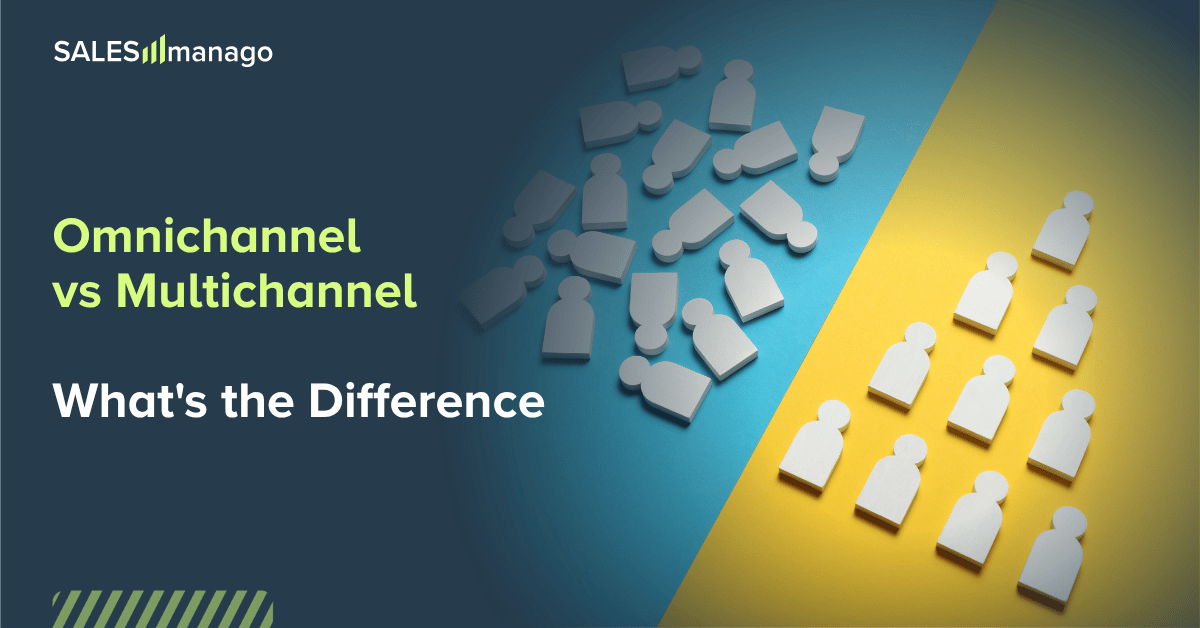
You’ve seen the slide before. You know the one with your brand in the middle, channels radiating outward like a proud little sun. Email, SMS, web push, social, paid ads, on-site personalisation, maybe a loyalty program if you're feeling ambitious. It says "
This month isn’t about being fooled by the next massive industry panic or buying into stressful, hyper-complex tech trends. Low-friction joy? Welcome to the era of Treatonomics.